 Tilki
Your databases, fast. Every action a keystroke away.
Tilki DB is a light, keyboard-first SQL client for PostgreSQL, MySQL, MariaDB and SQLite. Query, edit, chart and compare data without waiting on a heavy app, and without your data leaving your computer.

Everything you reach for every day, none of the weight
A native desktop app with a small footprint. Results stream in as they arrive, so a million-row query doesn't freeze the window.
Fast query editor
Autocomplete from your schema, JOIN suggestions from foreign keys, snippets, formatting, parameters and errors underlined where they happen.
Safe table editing
Edit cells, paste from a spreadsheet, duplicate rows. Every change waits in a tray and runs in one transaction when you commit.
ER diagrams
See how your tables connect, with relations drawn around the tables. Trace a table's links in one click and export to PNG, SVG or Mermaid.
Charts from any result
Bar, line and pie charts straight from a query or a table, with up to four series. Save them as images.
Compare and copy data
Compare a table's rows with another database and get the SQL to sync them. Copy tables between connections, even across engines.
Built-in safety
Connections marked as production ask for their name before risky statements. Read-only connections are enforced by the server.
Keyboard-first
A command menu for every action, shortcuts you can change, and a cursor that keeps up with your hands.
Tools for the whole job
SQL dumps and restores, CSV, JSON and Excel import and export, schema compare, query plans, notebooks and server activity.
Make it yours
Thirteen color themes with light and dark sides, compact or spacious layouts, and fonts you pick for data and code.
A closer look
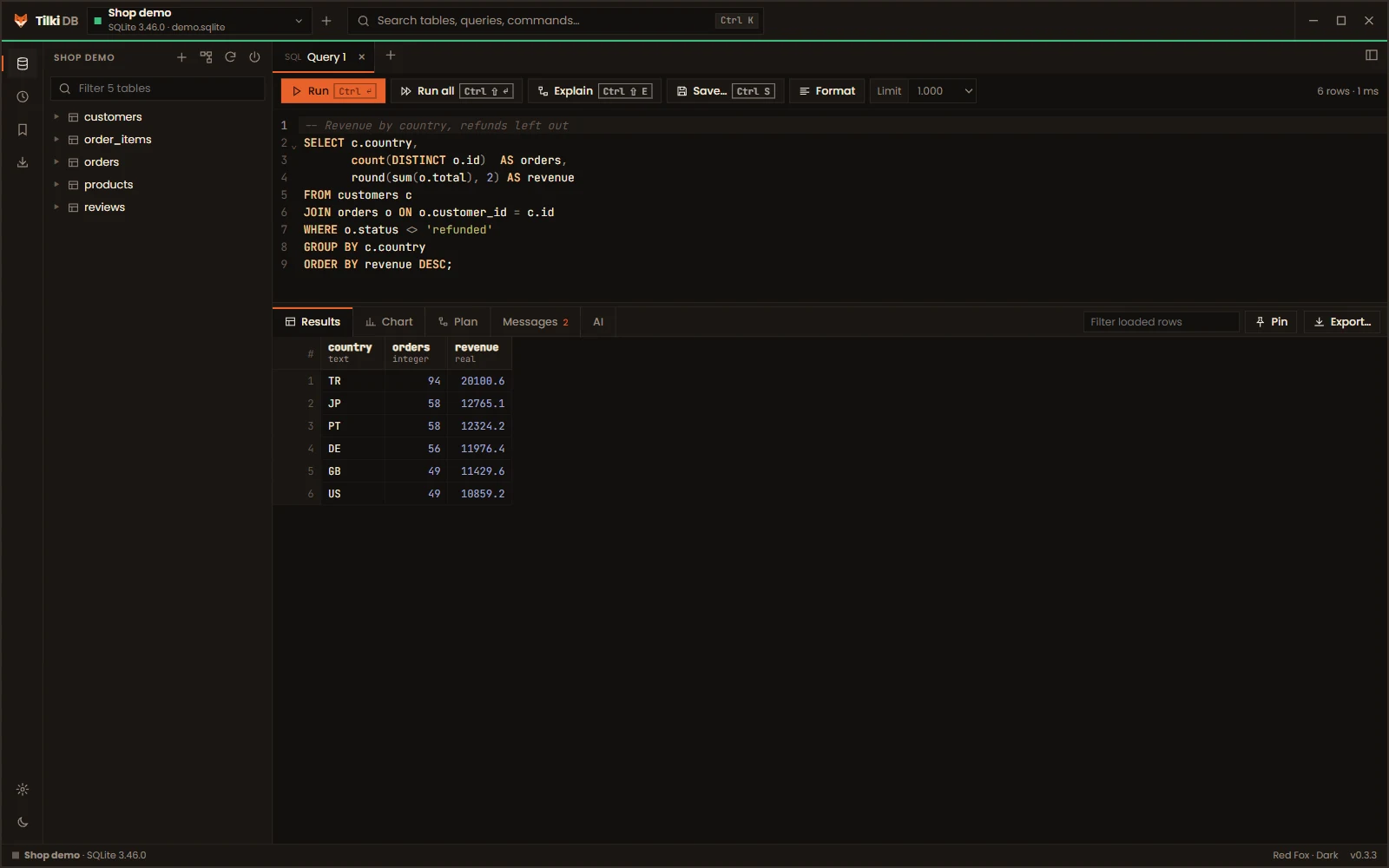
Write SQL, see results as they stream in
Each query tab keeps its own connection, so transactions and session settings never leak into another tab.
- Run the statement under the cursor with Ctrl + Enter
- Several result sets as tabs; pin one and compare it with the next run
- Query plans you can read, for every engine
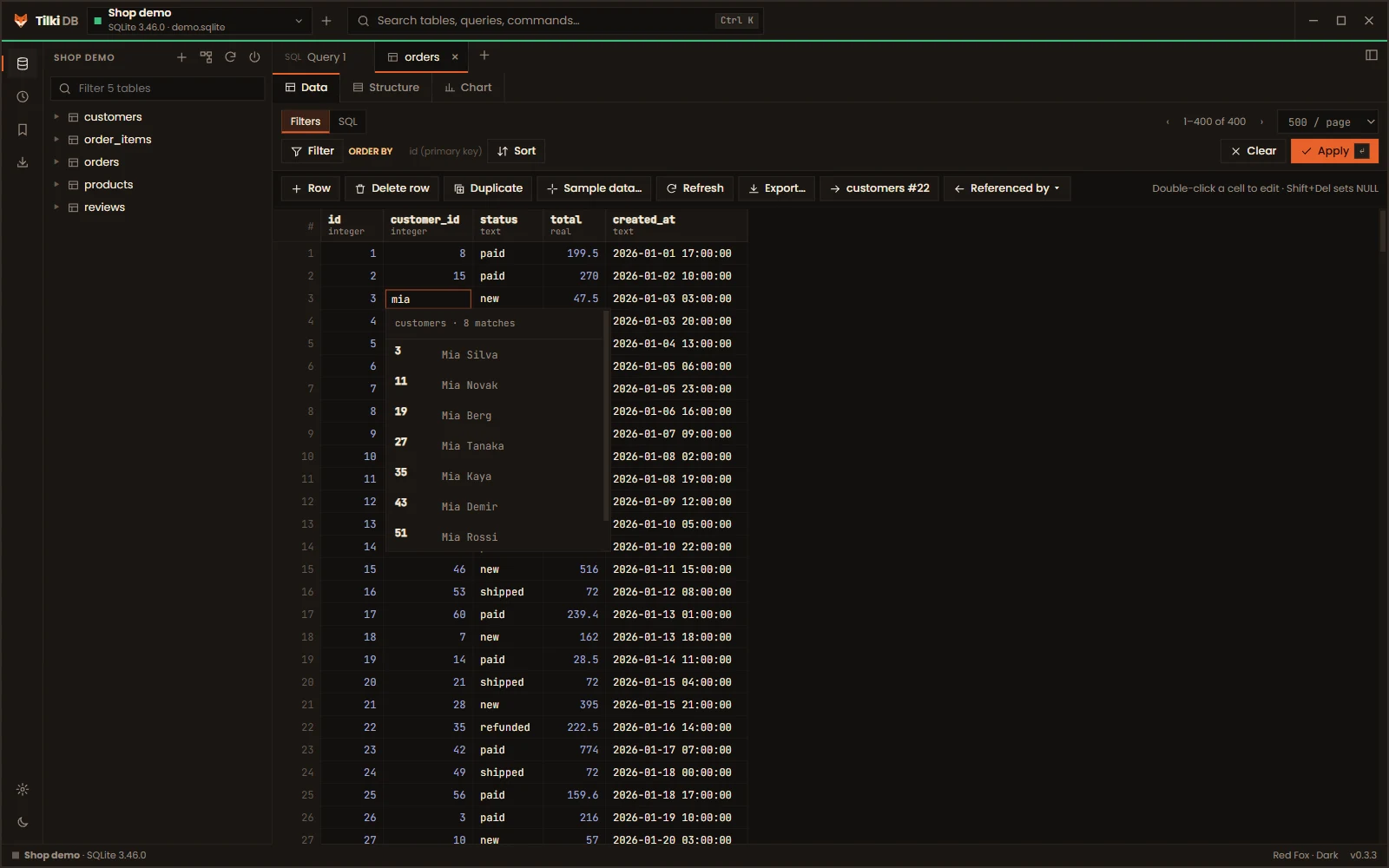
Edit data the way you think about it
Pick a foreign key by name instead of remembering ids, and use real editors for dates, enums, booleans and JSON.
- Filter from any column header
- See the rows that point at the selected row
- Review the exact SQL before anything is written
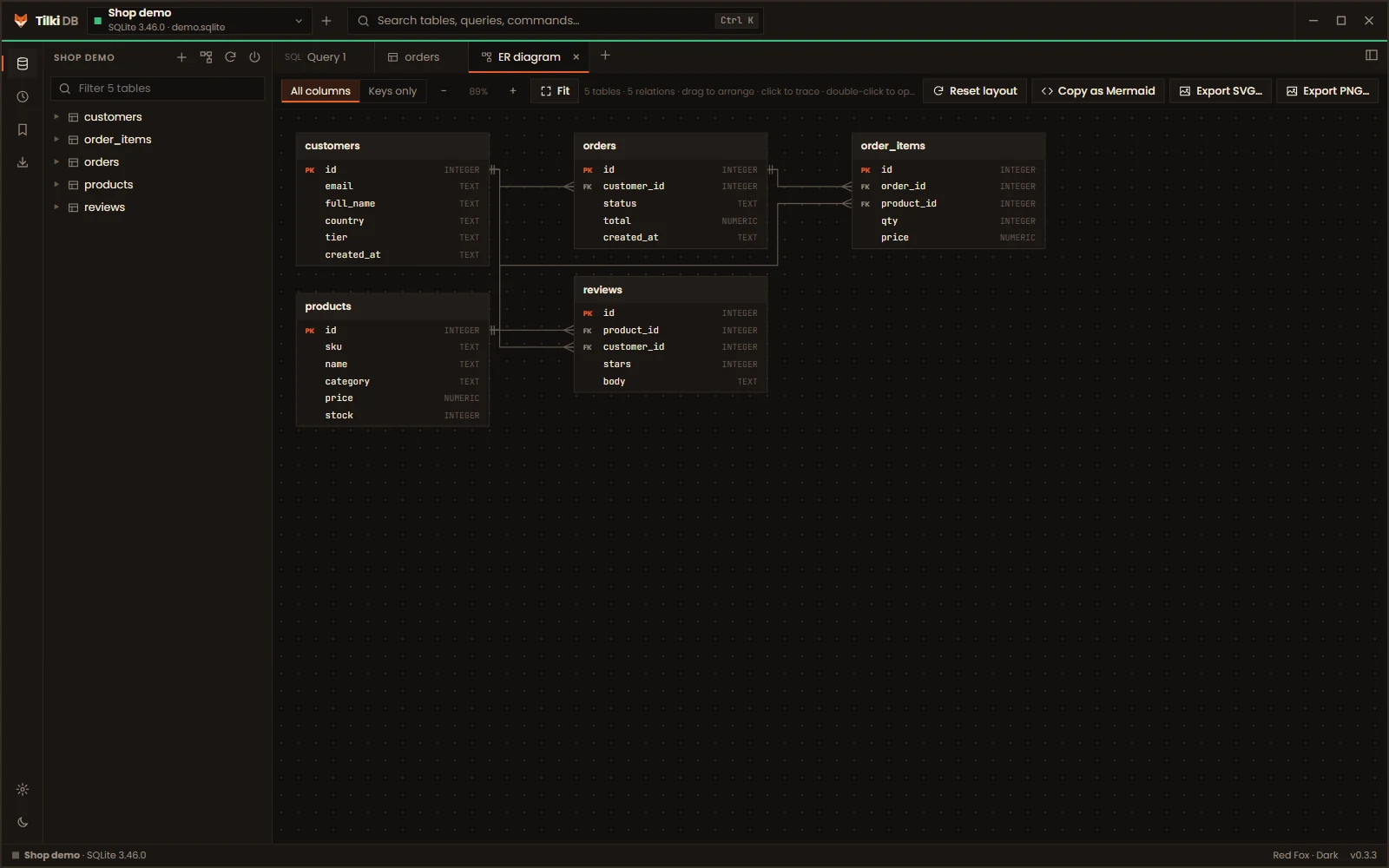
Your schema at a glance
An entity-relationship diagram drawn from your foreign keys. Drag tables around and the lines route themselves.
- Click a table to highlight what it connects to
- Export to PNG, SVG or Mermaid for your docs
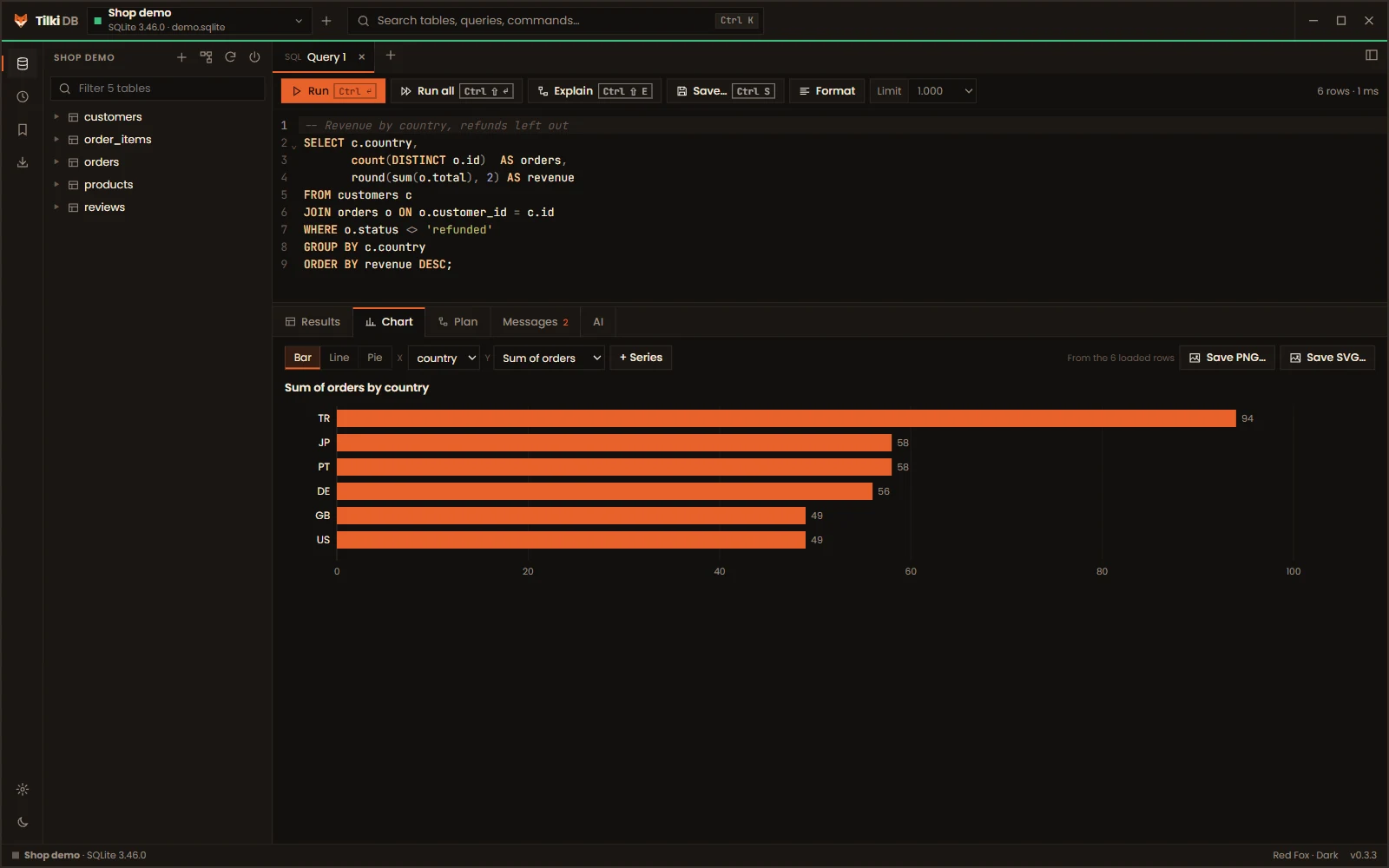
A chart is one click away
Turn any result or table page into a bar, line or pie chart, then save it as an image for a report.
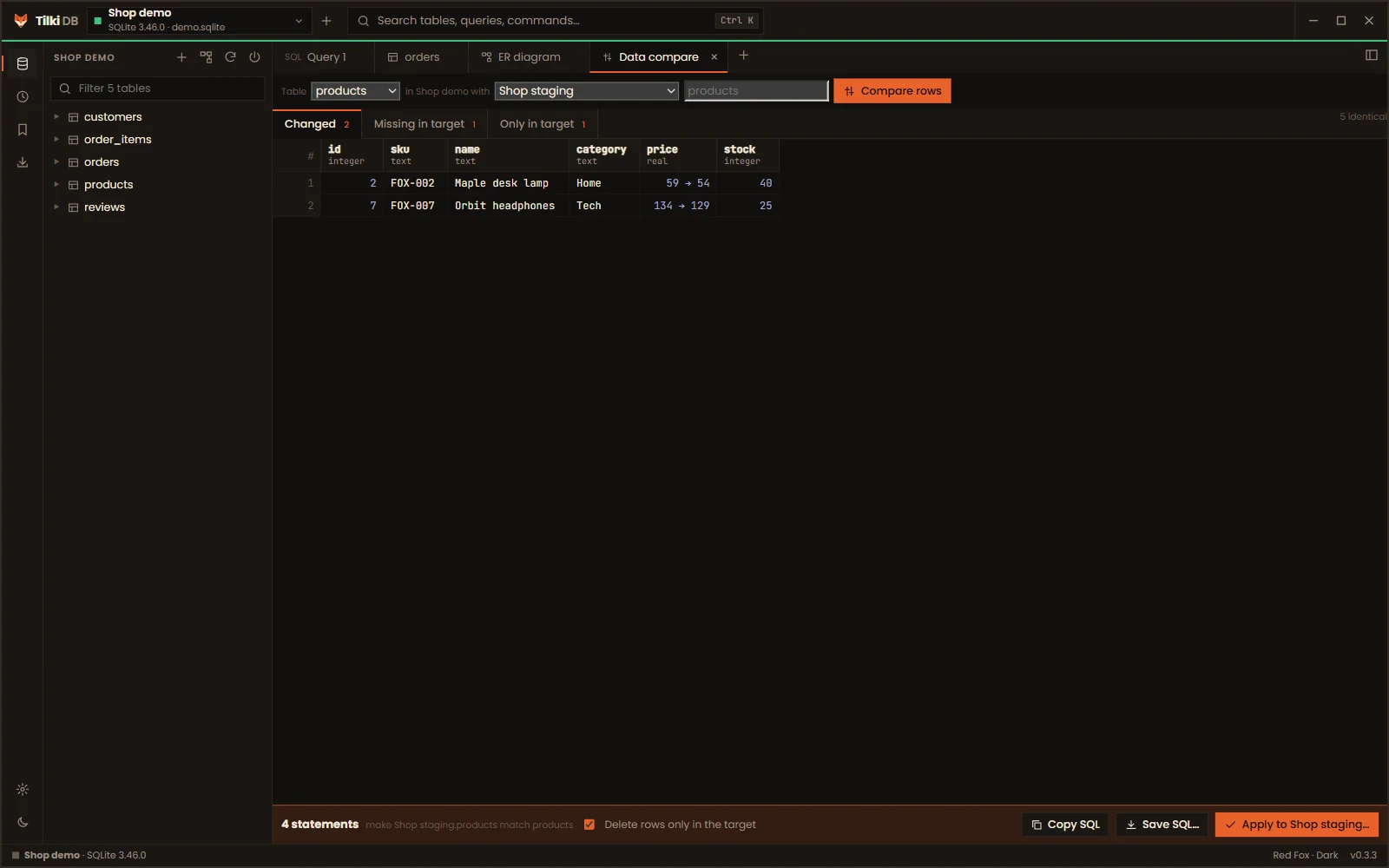
Keep staging and production in step
Compare a table's rows with the same table on another connection. Tilki DB shows what changed and writes the SQL to make them match.
- Works across PostgreSQL, MySQL, MariaDB and SQLite
- Applies in one transaction, with a confirmation for production
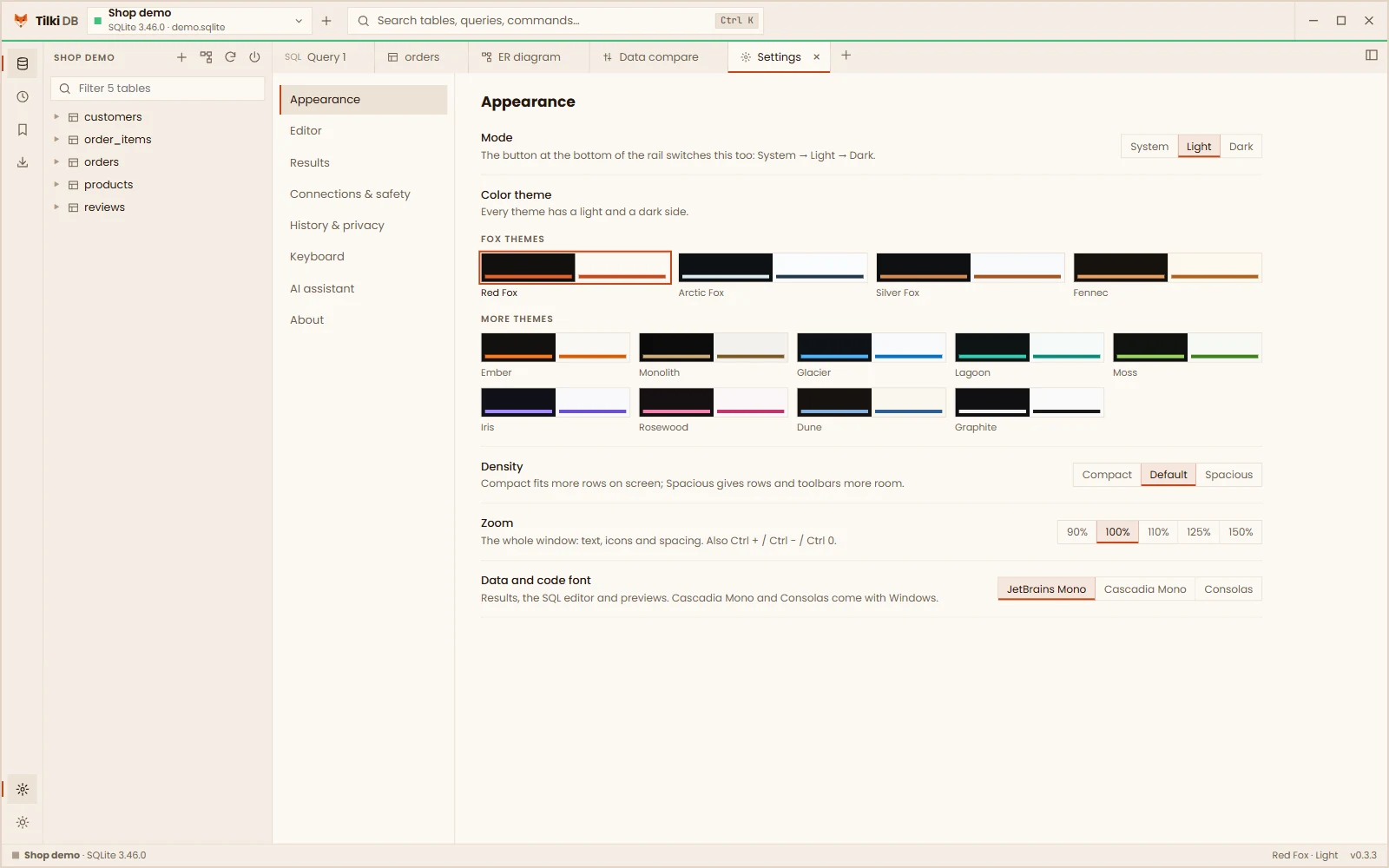
Thirteen themes, each light and dark
Fox themes and neutral ones, each with a light and a dark side. Compact or spacious layouts, zoom, and your choice of code font.
Your data stays on your computer
Tilki DB talks to the databases you connect to, and to nothing else unless you ask it to.
There is no sign-up and no analytics. The app doesn't phone home.
Passwords and SSH secrets are kept in Windows Credential Manager, never in a file.
The optional assistant uses your own Claude API key and sends table and column names, never your rows.
Get Tilki DB for Windows
One installer, no admin rights needed. Your connections and settings carry over when you update.
Download for Windows (64-bit)Questions
Which databases does Tilki DB support?
PostgreSQL, MySQL, MariaDB and SQLite, including connections through an SSH tunnel and with SSL certificates.
Is the source code available?
Yes. The code is on GitHub under the PolyForm Strict license: you can read it and contribute, but not republish or sell it. The official builds are free for everyone, including at work.
Is it available for macOS or Linux?
Not yet: Tilki DB is Windows only for now.
Will it slow down on big tables?
No. Results stream in batches and the grid only draws the rows on screen, so large results stay responsive.
Can I make a mistake on a production database?
Mark a connection as production and Tilki DB asks you to type its name before running anything risky, like a DELETE without a WHERE. Edits in the table view always show their SQL before they run, and run in one transaction.
What does the AI assistant send, and where?
Nothing, unless you add your own Claude API key and ask it something. Then it sends your question, the SQL you're working on and your schema's table and column names to Anthropic's API. Row data is never sent.
Where are my connections stored?
In your user profile on your computer. Passwords go to Windows Credential Manager. See the privacy policy for the exact places.